Deployment options

Whatever the venue gives you, the product is the same.

The capture kit is modular; everything downstream is identical. However photos get off the camera and onto the internet — a phone in your pocket, the venue's network, or a wired press-room setup — the AI enhancement, athlete sorting, live galleries, and sales never change. Pick the kit that fits the venue; nothing else moves.

The kits

Field-proven

Phone kit — zero venue infrastructure

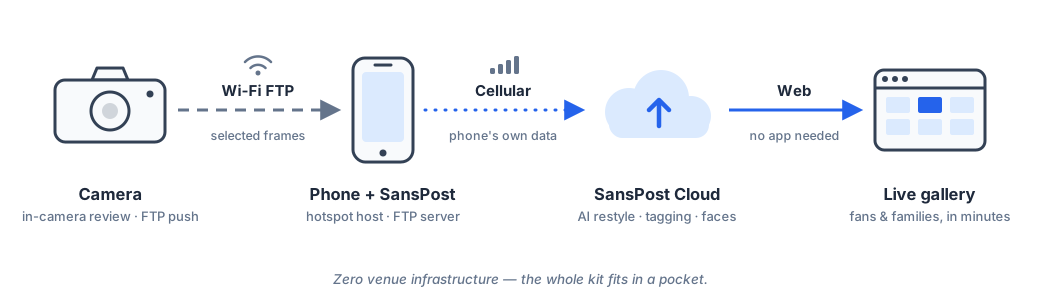
The whole kit fits in a pocket. The camera connects to the photographer's phone, each selected frame transfers automatically, and the phone sends it to the cloud over its own data connection. No venue Wi-Fi, no laptop, no cart of gear — it works anywhere there's cell coverage, and the photographer roams freely.

Diagram: camera sends selected frames over Wi-Fi to a phone running the SansPost app; the phone uploads over cellular to the SansPost cloud, which serves the live gallery.
Best for: solo shooters, remote fields, fast setup Needs: a camera with built-in wireless transfer + a phone with a data plan
Field-proven

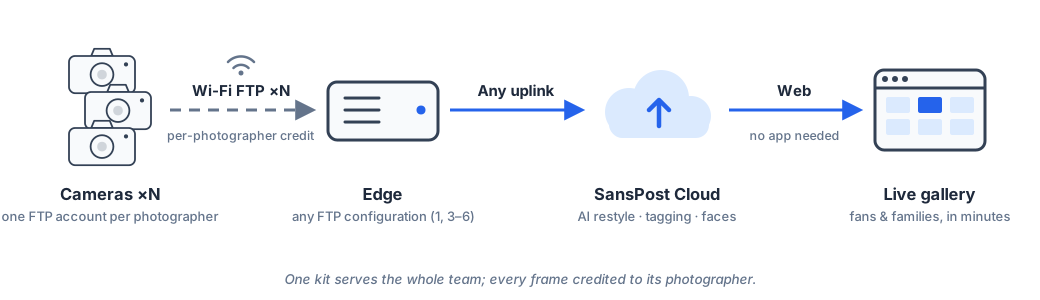
Team coverage — many cameras, one live gallery

Cover a tournament with a whole crew: every photographer's camera feeds the same kit, each frame is credited to the photographer who shot it automatically, and it all lands in one live gallery. Photographer payouts follow that credit — attribution isn't an end-of-night spreadsheet job.

Diagram: multiple cameras send frames to one edge device with per-photographer credit; the edge uploads to the SansPost cloud and the live gallery.
Best for: tournaments, multi-court events, staffed coverage Layers on top of any kit on this page
Supported

Venue network kit — use the building's Wi-Fi

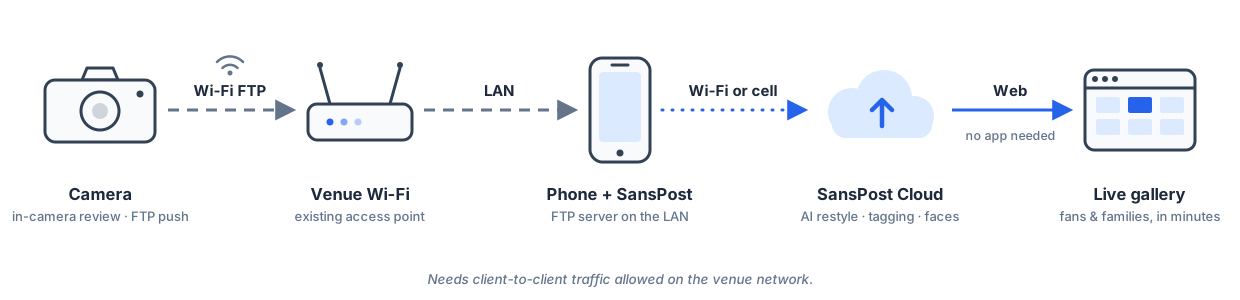
Where the venue offers trustworthy Wi-Fi, the camera and phone can both join it — no hotspot, less battery drain, and the choice of uploading over the venue's internet or the phone's own data. One honest caveat: guest networks often block devices from talking to each other, which silently breaks the camera-to-phone hop. We test for that up front — and when in doubt, we bring our own network instead.

Diagram: camera and phone share the venue Wi-Fi network; the phone uploads over Wi-Fi or cellular to the SansPost cloud.
Best for: venues with good, open Wi-Fi you're allowed on Verify: the network must allow device-to-device traffic
Delivered as a service

Fixed & wired kits — for the venues you own

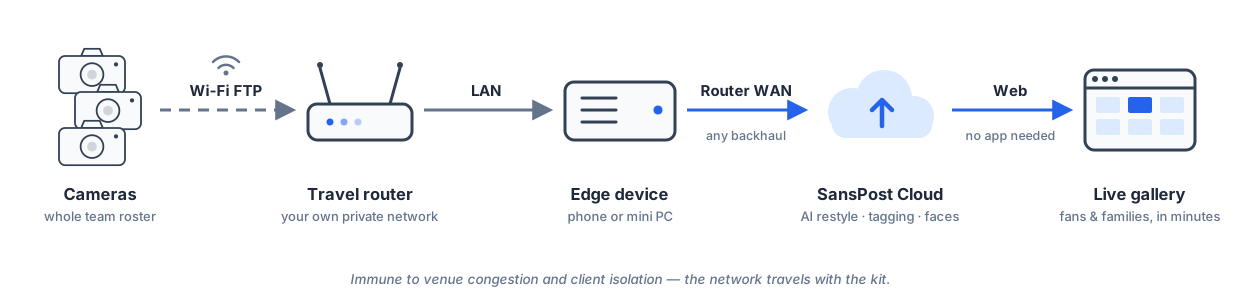
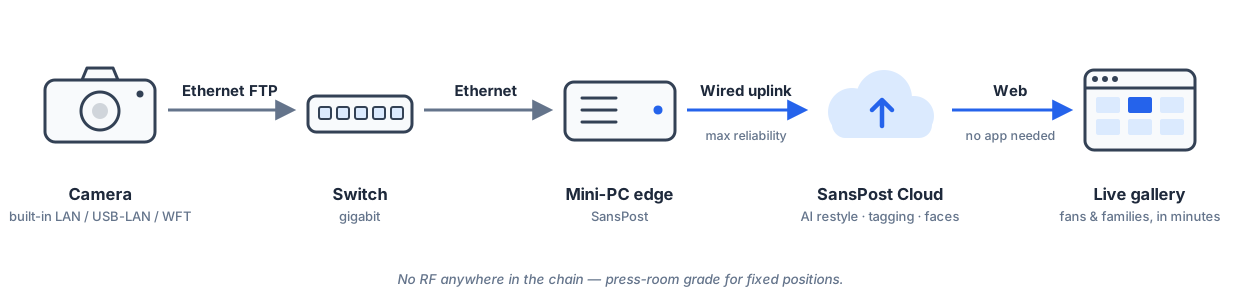
For recurring venues, long event days, and championship-level reliability, we deploy a dedicated station: a compact computer on mains power, fed by the venue network, a travel router we bring, or a fully wired camera chain with no wireless anywhere. These setups run all day, take any number of cameras, and are managed remotely by our team — today we deliver and operate them for you as part of the engagement, so your photographers just shoot.

Diagram: cameras connect to a travel router's private network; a phone or mini PC edge uploads through the router's internet connection to the SansPost cloud.
Diagram: a camera with an Ethernet connection feeds a wired mini PC through a network switch; the mini PC uploads over wired internet to the SansPost cloud.
Best for: home venues, all-day events, fixed shooting positions Includes: our hardware, our on-site setup, remote monitoring

Which kit fits your venue?

A quick guide — and if your situation isn't here, tell us about the venue and we'll spec the kit for you.

Your situationReach for
Remote field, no venue internet, traveling lightPhone kit — the phone's own data connection does the rest
Several photographers covering one eventTeam coverage — everyone feeds the same live gallery
Venue has good, open Wi-FiVenue network kit — no hotspot needed
Recurring venue, long event days, mains powerFixed kit (we deliver and run it)
Unfamiliar venues, or venue Wi-Fi that blocks devices talking to each otherTravel-router kit — we bring our own network
Championship-level reliability, fixed shooting positionsFully wired kit — no wireless anywhere in the chain

Good questions we get asked

Does the whole memory card get uploaded?

No — the photographer selects what ships. Only chosen frames leave the camera, which keeps cellular data budgets sane and means nothing reaches the internet that a photographer didn't deliberately send. That's bandwidth discipline and a privacy posture in one.

What cameras work?

More than you'd think. Pro bodies with built-in wireless transfer (Nikon Z8/Z9-class, and Canon and Sony bodies with FTP transfer) connect straight to the phone and network kits — that's the field-proven path. Wired kits use bodies with an Ethernet option.

Beyond that, most interchangeable-lens cameras from the past decade can pair with their manufacturer's smartphone app — Nikon SnapBridge, Canon Camera Connect, Sony Creators' App — and hand selected frames to the phone that's already running the kit. We're extending the app to pick those frames up automatically, which opens the platform to far more of the bodies studios already own. If your fleet lives there, send us your camera list — matching bodies to kits is part of onboarding, and we'll tell you exactly where each body stands.

What if the venue Wi-Fi is bad — or hostile?

Then we don't use it. The phone kit ignores venue infrastructure entirely, and the travel-router kit brings a private network we control — same setup at every venue, immune to guest-network restrictions and RF congestion.

How much data does an event use?

Budget roughly 10–20 MB per delivered frame on high-megapixel bodies. Because only selected frames upload, a full match typically fits comfortably in a normal phone plan — that selectivity is what makes cellular viable.
Tell us about your venue